




Greetings Persisters,
In this guide, we walk through the complete process of using BridgeKitty, from connecting your wallet to completing your first cross-chain swap using the aggregator.
This guide focuses on using the BridgeKitty frontend and walks through the basic flow step by step. If you’re planning to use BridgeKitty natively inside agent workflows instead, make sure to check out the dedicated BridgeKitty MCP guide.
Setting Up A Supported Wallet
Before getting started with BridgeKitty, make sure you have a supported wallet installed on your browser.
- To view the full list of supported wallets, or check whether you already have one installed, head over to the BridgeKitty homepage.
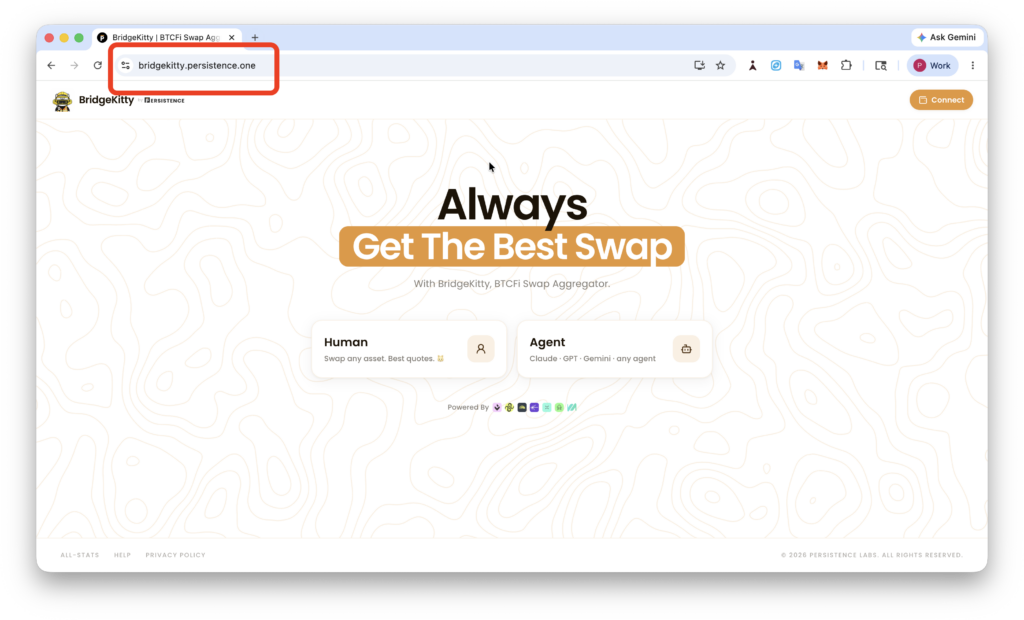
- Click on Human, then select your installed wallet from the list of supported options.
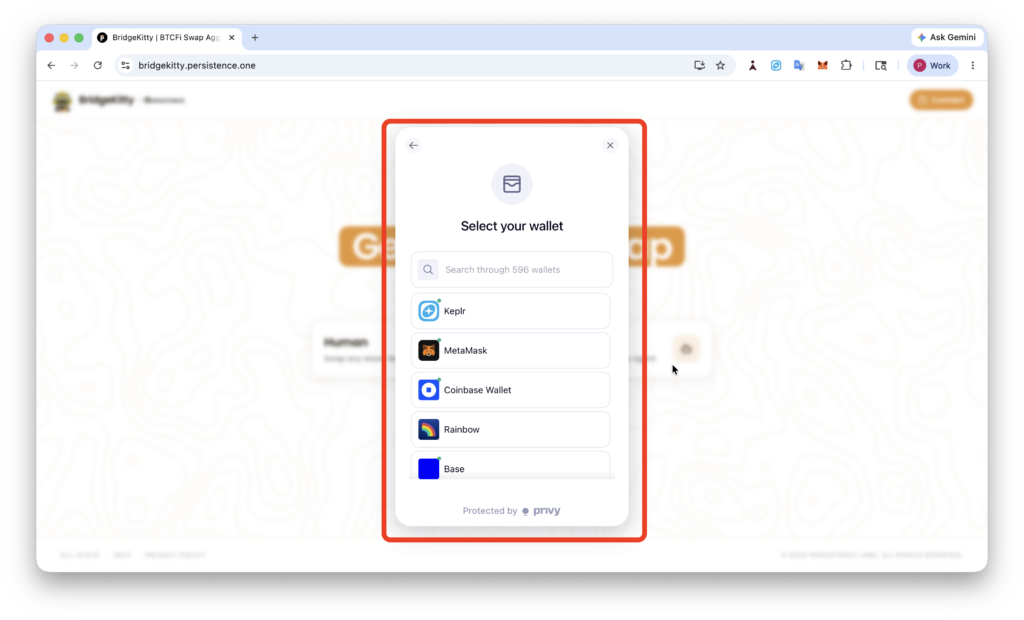
Approve the wallet connection permissions, and that’s it. Your wallet setup is now complete, and you’re ready to start using BridgeKitty.
Swapping With BridgeKitty
Before you start swapping with BridgeKitty, make sure your connected wallet has sufficient balance for the swap and network fees.
Like any standard swapping experience, BridgeKitty supports 11 networks, including Base, Ethereum, BOB, Monad, BNB chain and more, along with multiple Bitcoin assets and stablecoins.
- Based on the asset you want to swap, select your source chain and destination chain, then enter the amount you’d like to swap from the source asset.
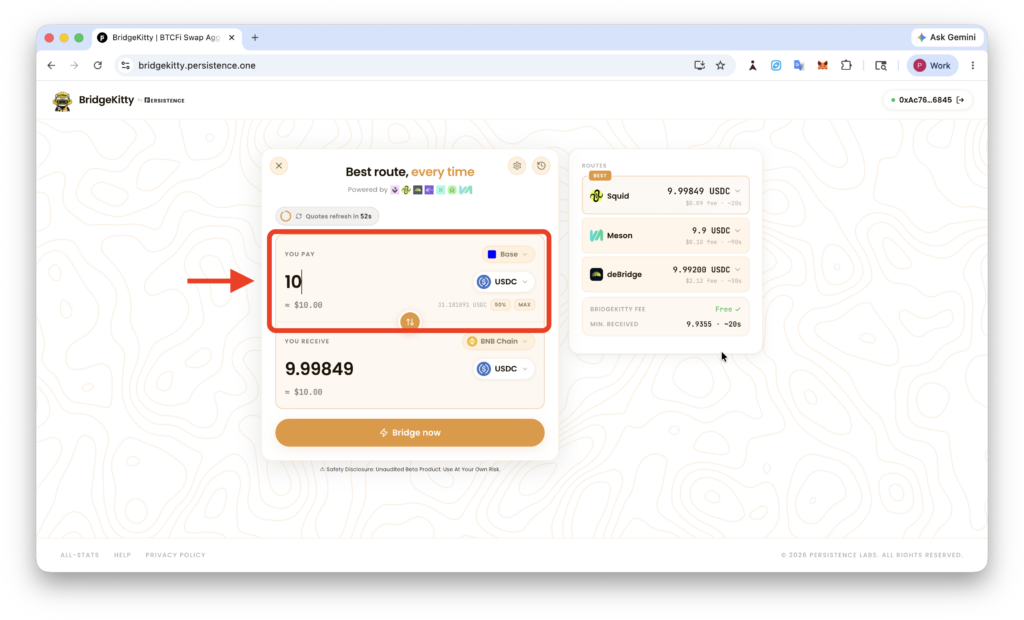
- BridgeKitty automatically shows the estimated amount you will receive on the destination chain and selects the route with the lowest available fees.
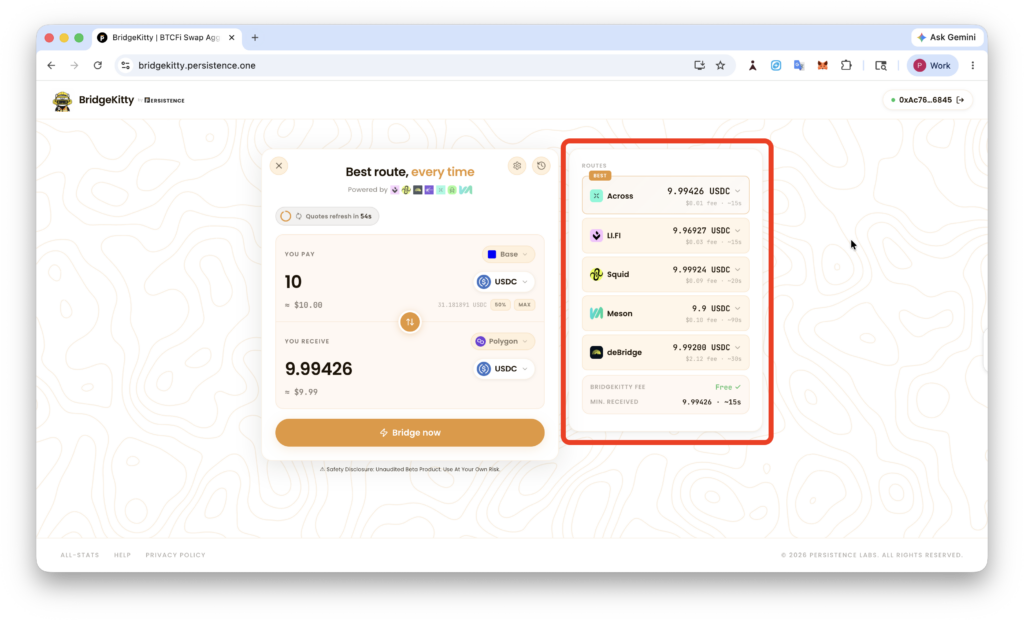
- You can also choose your preferred provider manually by comparing available quotes and reviewing the detailed fee breakdown before proceeding with the swap.
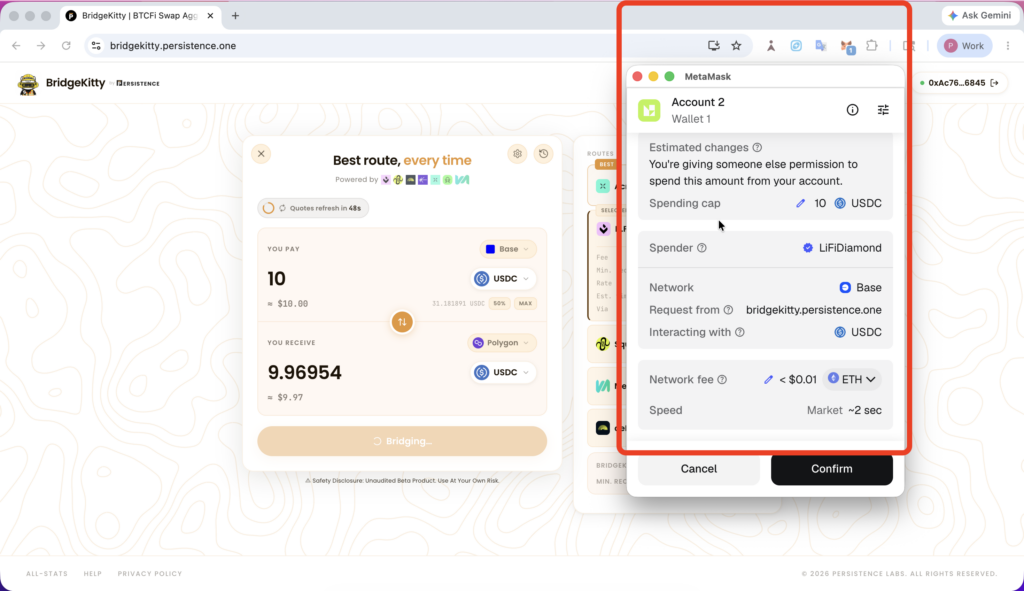
- Approve the wallet prompt for the required spend approval.
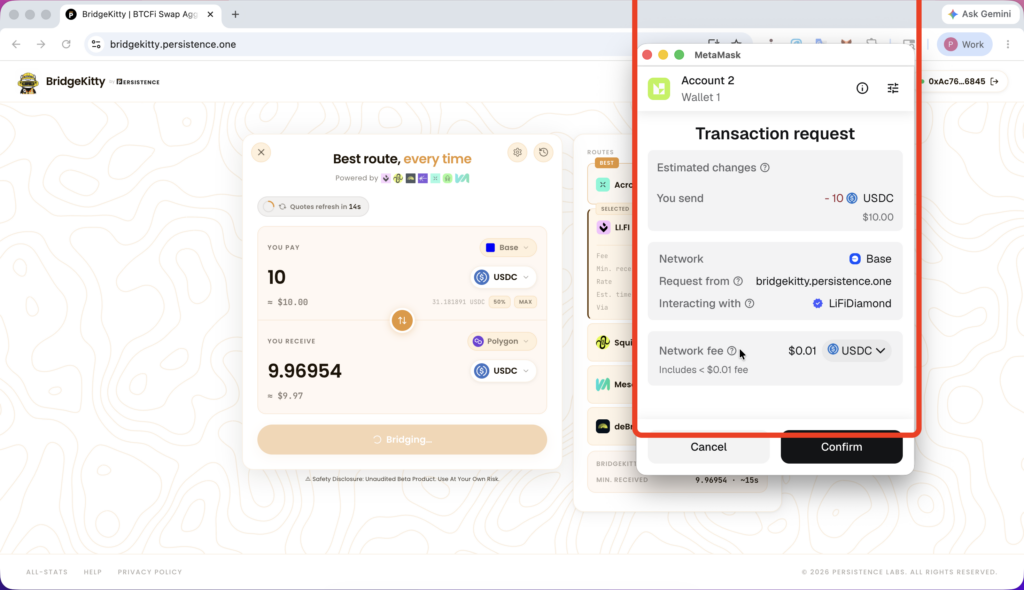
- Once prompted afterwards, approve and confirm the transaction request from the selected provider to complete the swap.
- The swap should complete within a few seconds to a minute, depending on the selected route and provider. Once completed, you will see a confirmation screen similar to the one shown below.
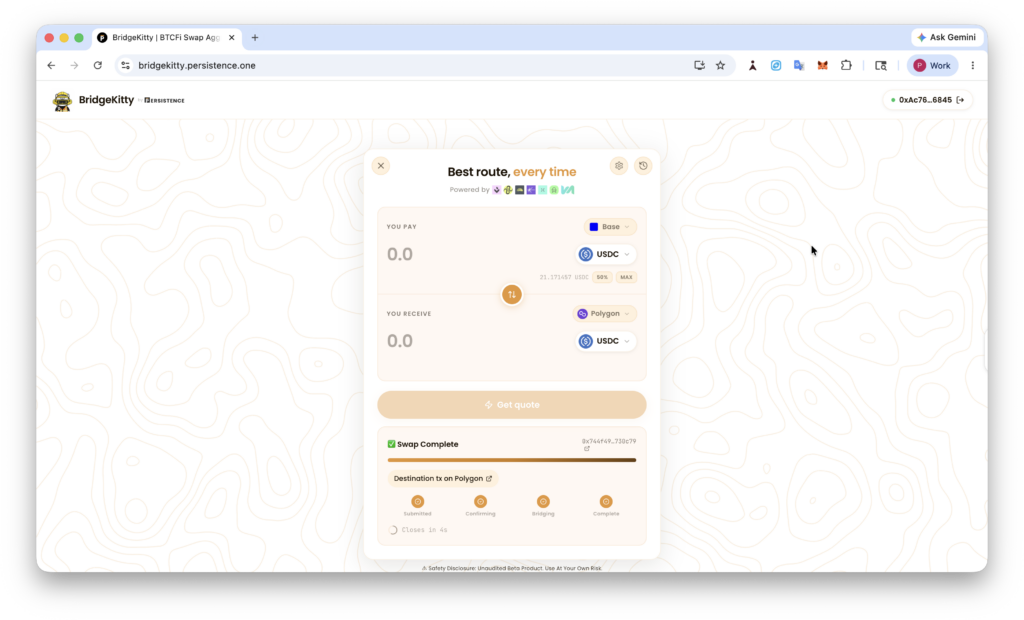
Check your wallet balance for the confirmation, and that’s it. You have successfully swapped your asset using BridgeKitty.
Note: If you run into bugs, bad quotes, failed routes, or anything unexpected, drop your feedback in our Telegram community, and we’ll be happy to look into it.
About Persistence One
Persistence One is building intent-based Bitcoin interoperability—simple, reliable cross-chain swaps across Bitcoin L2s, sidechains, and BTC-aligned networks.
Our mission is to reduce fragmentation across the Bitcoin ecosystem and make cross-chain value transfer intuitive for users, developers, and partners.
Twitter | LinkedIn | Telegram | YouTube | Reddit | [email protected]